
Get paid faster, from invoice to applied cash
GenLedge Accounts Receivable runs the full cycle: branded invoices, revenue schedules, collections, and payment application. A automation matches incoming payments and auto-applies the clear ones, while AR agents draft follow-up emails and classify inbound WhatsApp messages. Less manual matching, faster cash.
Revenue schedules under ASC 606 / IFRS 15
Automatic payment matching
WhatsApp classifier: payment, order, quote, dispute
Branded, versioned PDF invoices
Explore Accounts Receivable
Everything below is a working part of the platform. Pick a capability to see what it does.
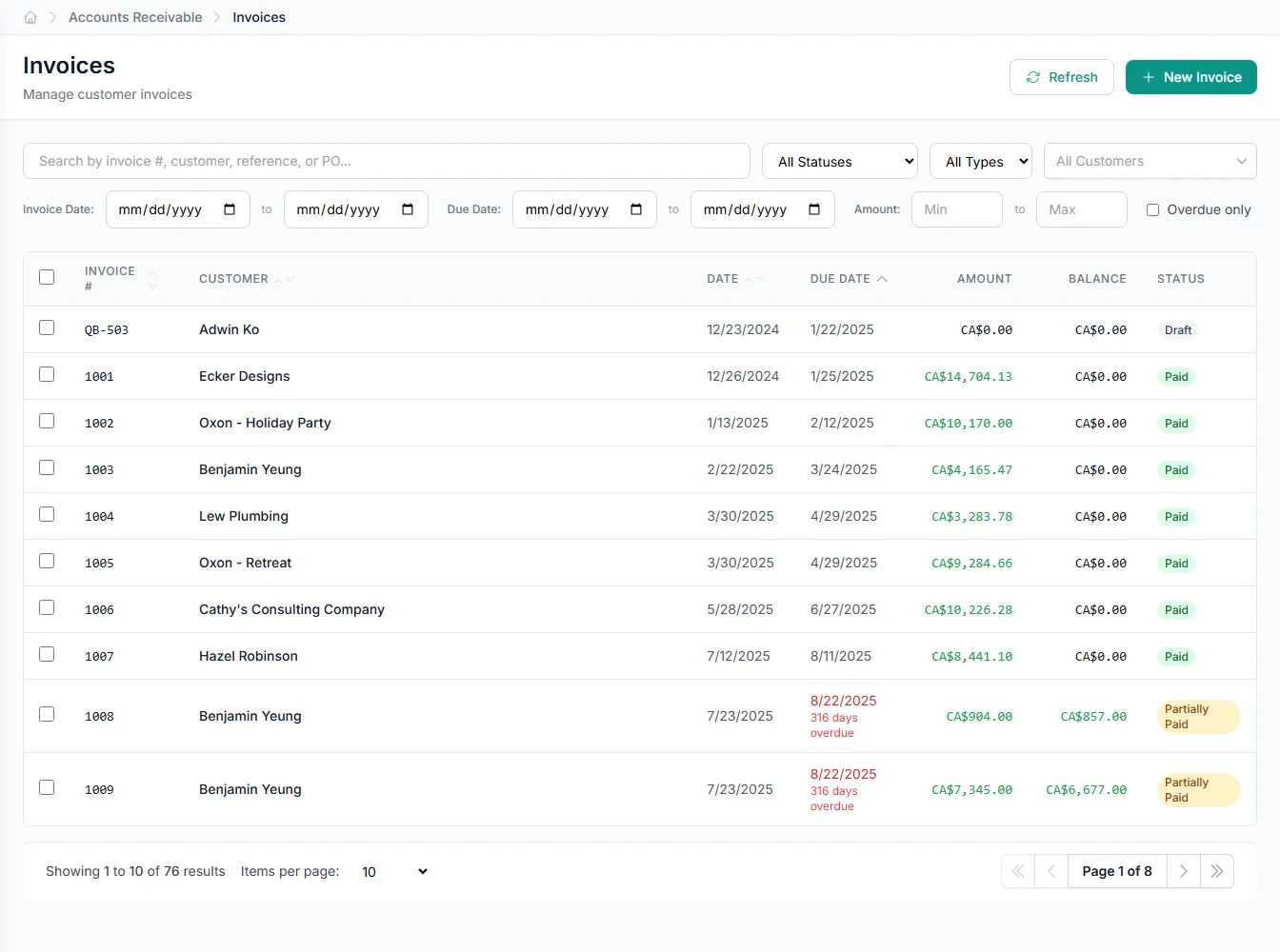
Branded, versioned invoices
Generate branded PDF invoices from customer records, with a full version history so every revision is tracked. Send the current version and keep the audit trail intact.
- Branded PDF templates per tenant
- Version history on every invoice
- Issue directly from Customer records
- Credit memos for adjustments
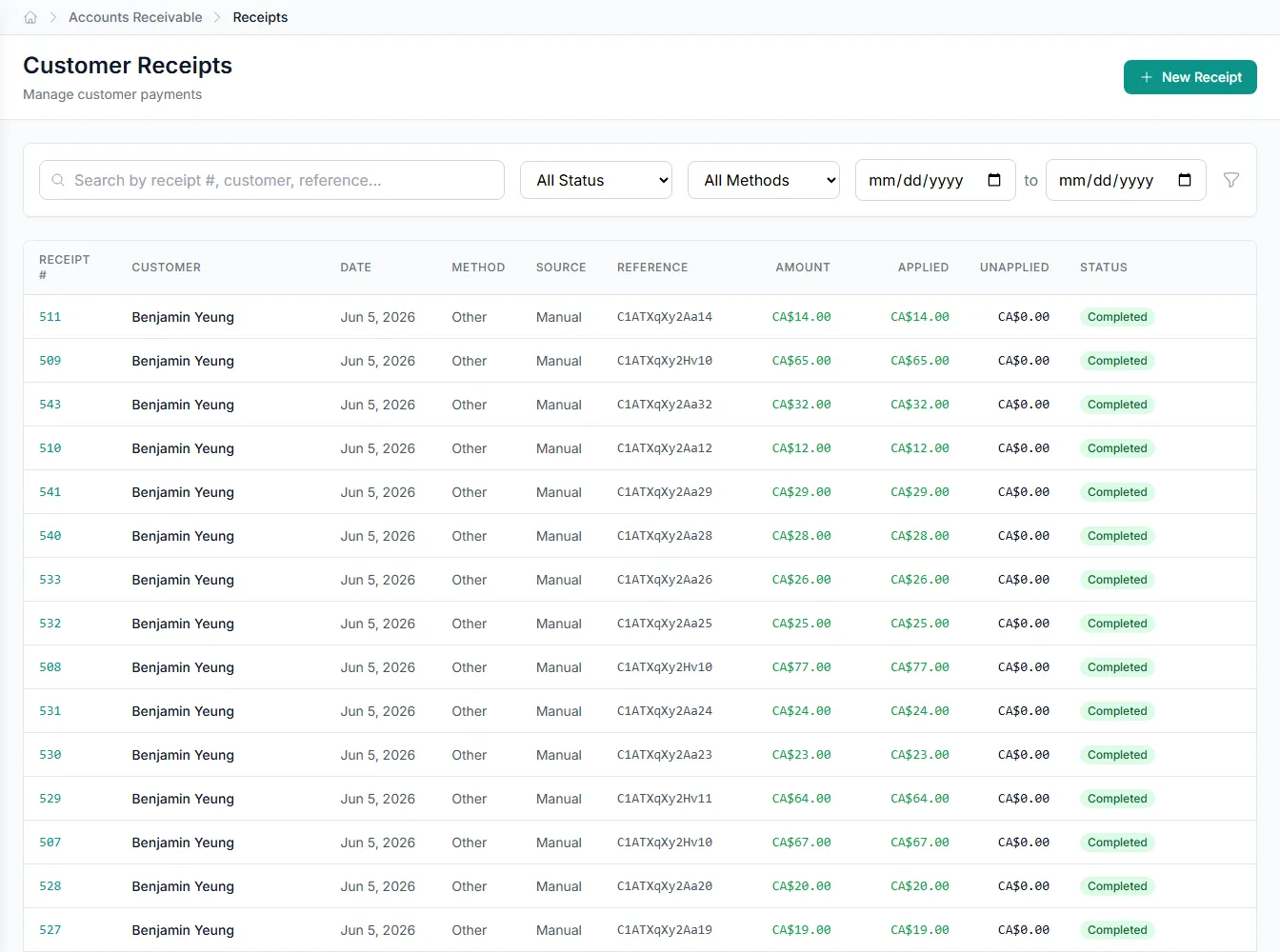
From payment to applied cash, automatically
Every CustomerPayment runs through a automatic matching. Payments that clear your threshold apply to open invoices on their own; anything uncertain waits in a review queue. You spend time on the exceptions, not the routine matches.
- Confidence score on each match
- Auto-apply threshold you control
- Review queue for the rest
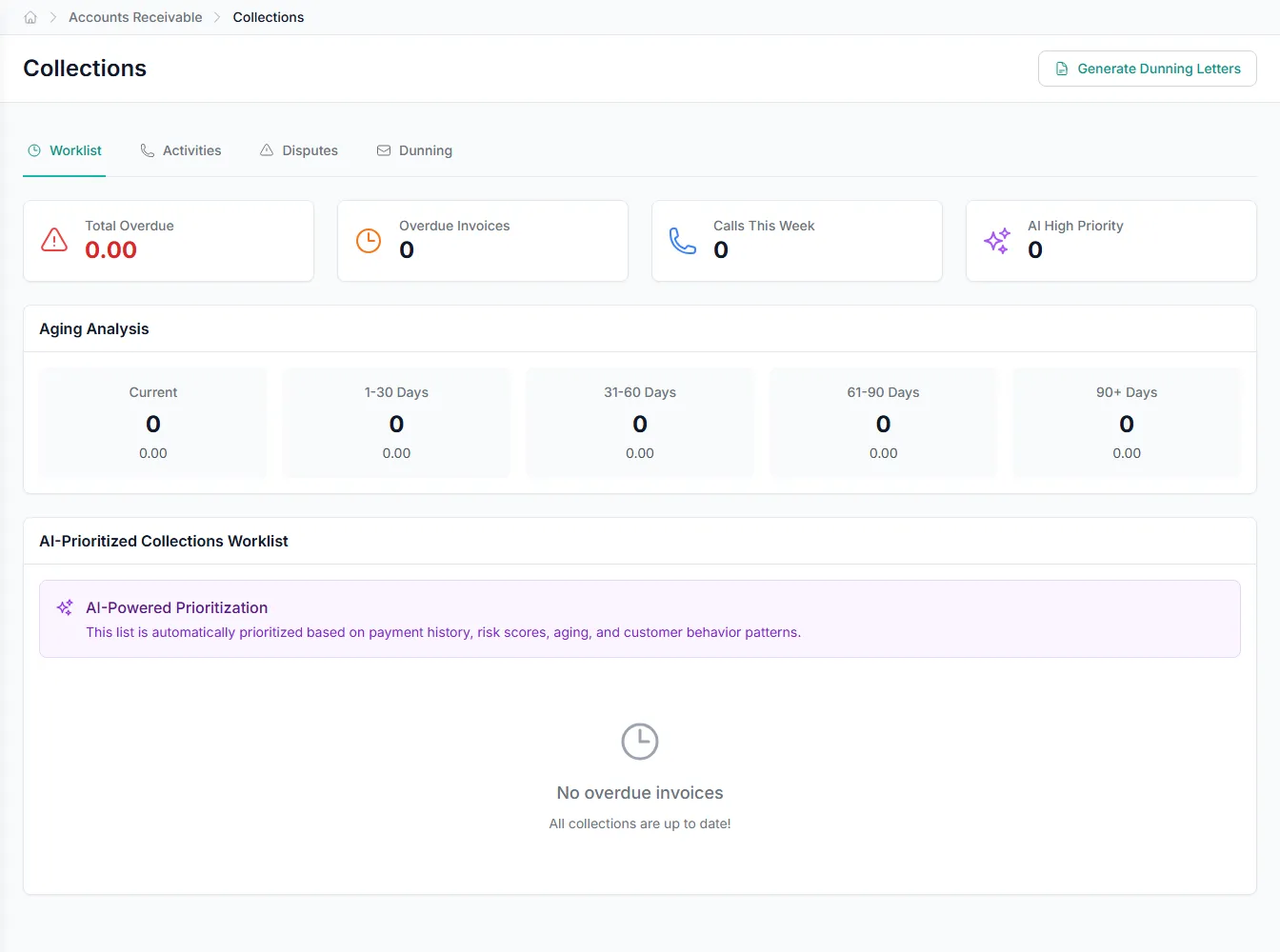
Collections that draft themselves
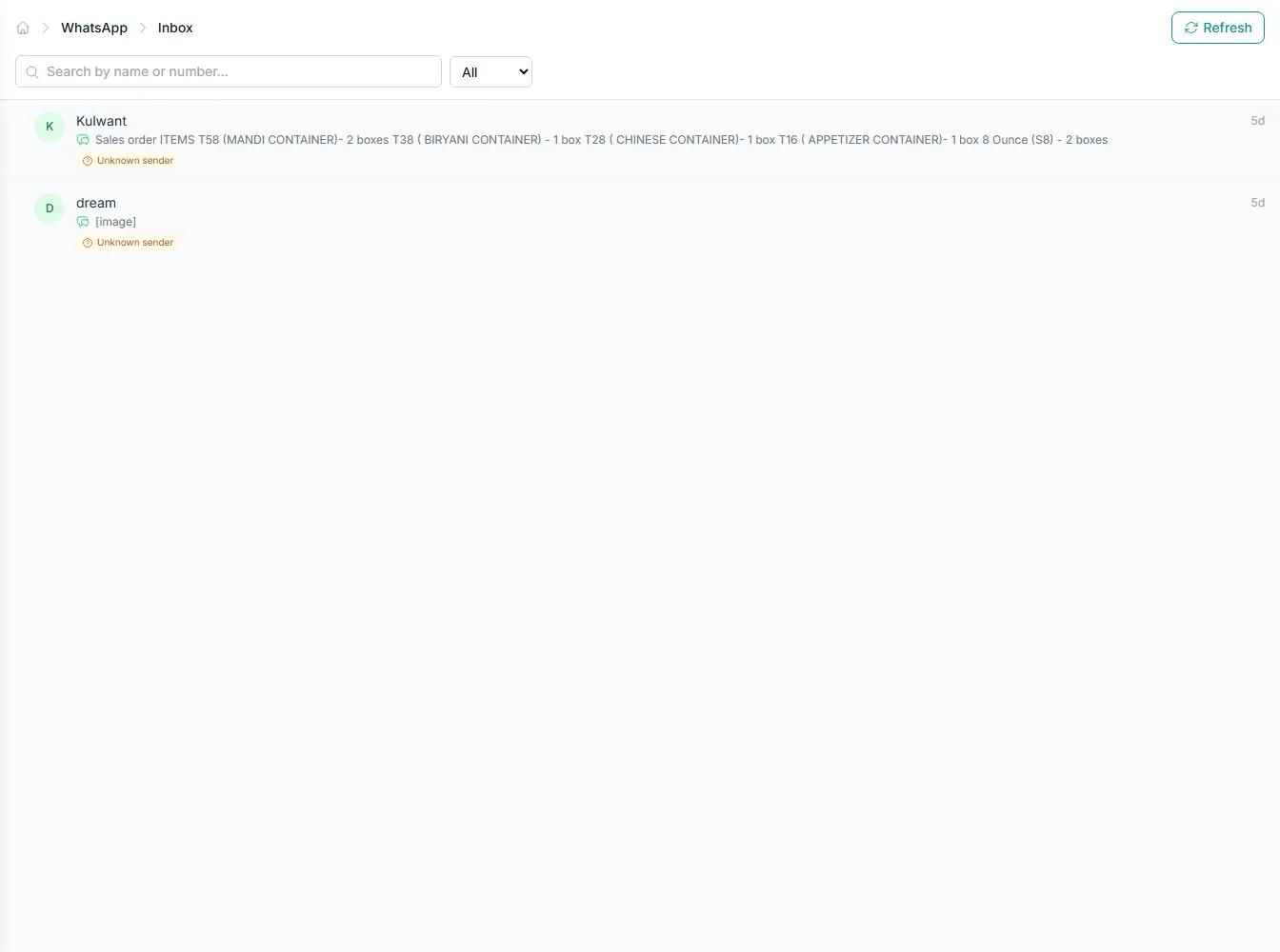
Reusable dunning templates and logged collection activity keep follow-up consistent across every account. Email draft-assistant agents write the outreach, and a WhatsApp classifier routes inbound replies by intent so nothing falls through.
- Dunning templates and activity logs
- Agent-drafted follow-up emails
- WhatsApp replies classified by intent
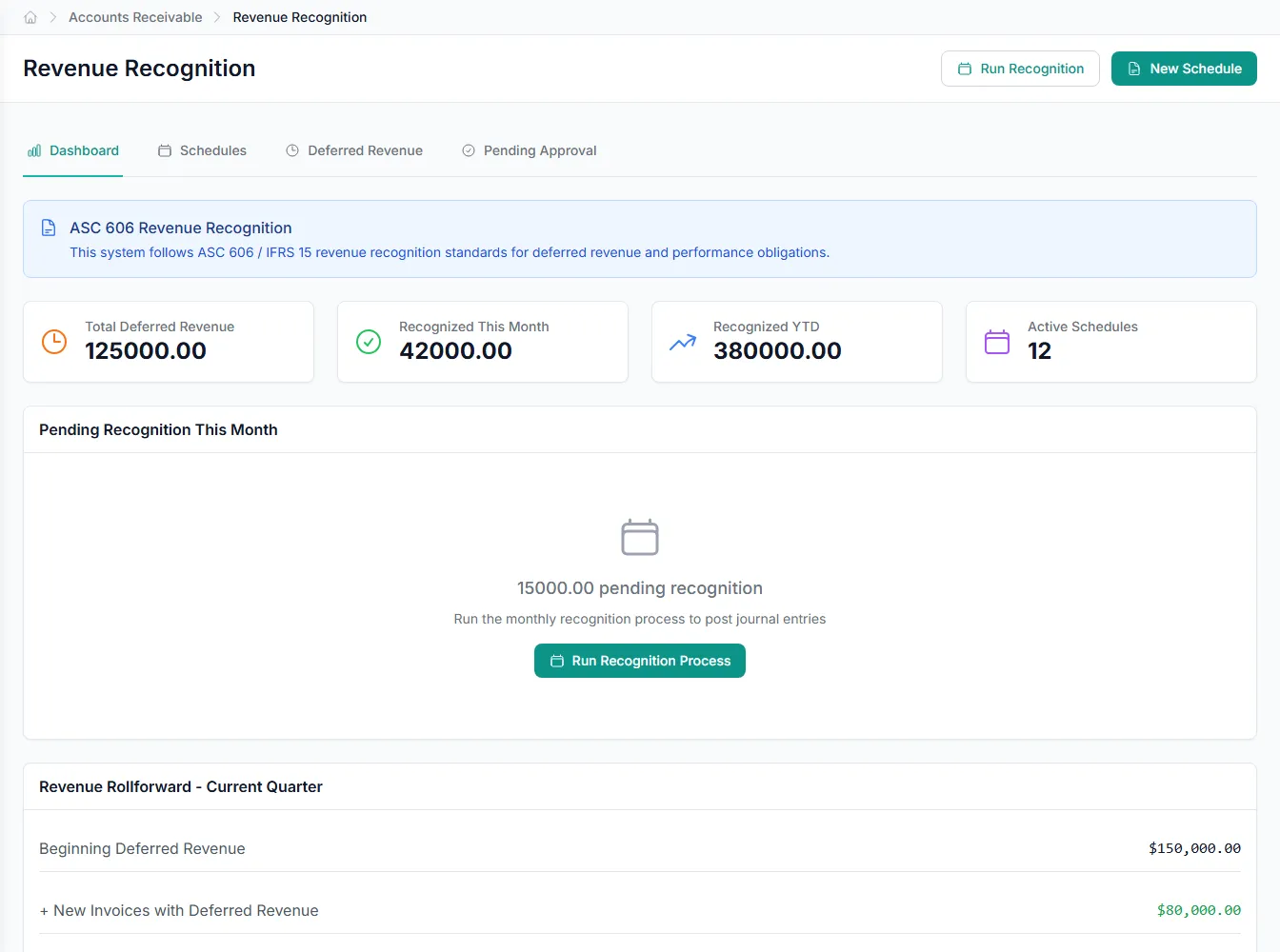
Recognize revenue on schedule
Build a revenue schedule for each contract and recognize revenue over its life under ASC 606 and IFRS 15. Billing and recognition stay separate, so what you invoice never dictates what you book.
- Revenue schedule per contract
- ASC 606 and IFRS 15
- Billing kept separate from recognition
Built into Accounts Receivable
Versioned PDF invoices
Branded PDF invoices with a tracked version history on every revision.
Payment application
Automatic matching applies clear payments to open invoices.
Dunning templates
Reusable templates drive consistent, repeatable collection reminders.
Revenue schedules
Recognize revenue over time under ASC 606 and IFRS 15.
WhatsApp intent classifier
Sorts inbound messages into payment, order, quote, or dispute.
Credit memos
Issue credit memos against invoices for returns and corrections.
Integrates with your existing tools

Questions about Accounts Receivable
Each incoming CustomerPayment is scored for match confidence against open invoices. Payments above the threshold you set apply automatically, and lower-confidence matches go to a review queue for a person to confirm.
Revenue is recognized through a revenue schedule built per contract, supporting ASC 606 and IFRS 15. Recognition is kept separate from billing, so invoicing timing doesn't drive what you book.
The AR automation includes email draft-assistant agents that prepare follow-up messages for your review, and a WhatsApp classifier that reads inbound messages for intent: payment, order, quote, or dispute. People approve and send.
Invoices are branded PDFs with per-revision version history. Collections run from reusable dunning templates, and draft-assistant agents can prepare the email copy for you to edit before sending.
See Accounts Receivable on your own data
Book a free AI workshop and we'll set up a sandbox with your real data so you can judge it for yourself, before you commit to anything.